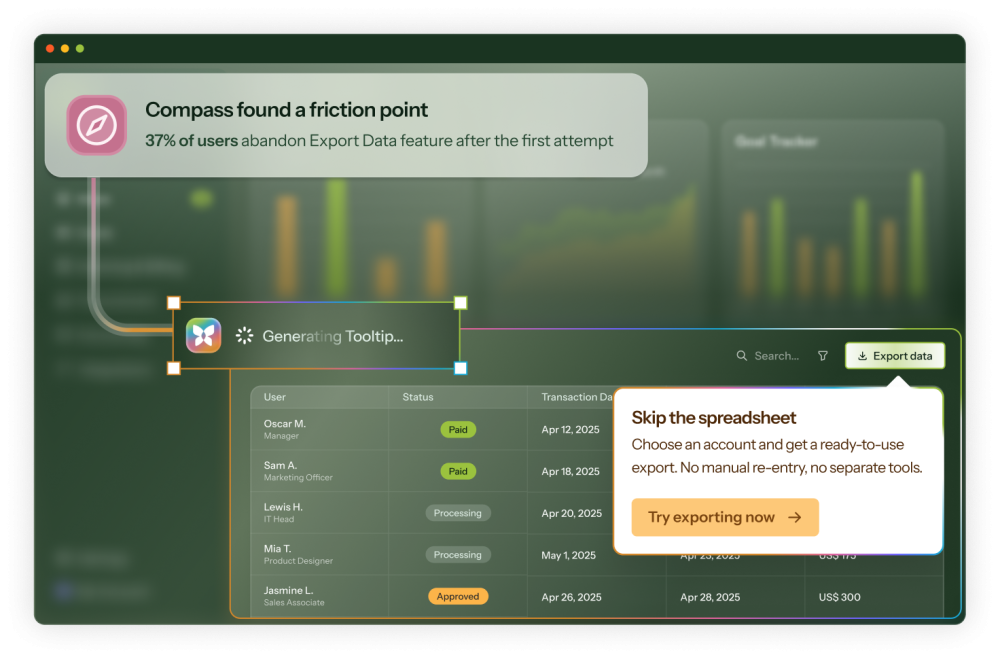
Give your UI a voice
with Tooltips that write themselves
Tooltips that give every user their own answer
Help that's fine-tuned for your product
Pinpoint positioning
Anchor to any page element with full control over pointer and placement so the Tooltip explains without obscuring.
Pixel-perfect design
Tooltips inherit your global brand styles. Optional custom CSS and full design controls take it further so you get a Tooltip that feels like it belongs, not something bolted on.
Right Tooltip, right user
Segment based on role, plan tier, lifecycle stage, or any property in your CRM or analytics tool. Power users don't need the same context as day-one signups.
Reuse without rebuilding
Configure a single Tooltip to fire on every matching element across your UI without duplicating work.
Triggers that fit your UI
Hover, click, or icon-triggered, to fit how users ask for help. Use our icons or bring your own for a perfect match.
Tooltips that take action
Add media and CTAs to Tooltips. Buttons can start a Tour, open a Microsurvey, or connect to native integrations so users take the next step in your product.
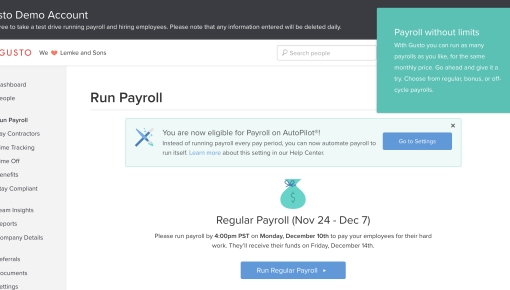
Real Tooltips built with Chameleon
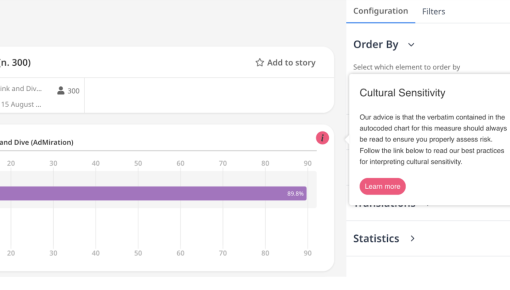
Gusto Feature Onboarding Tip
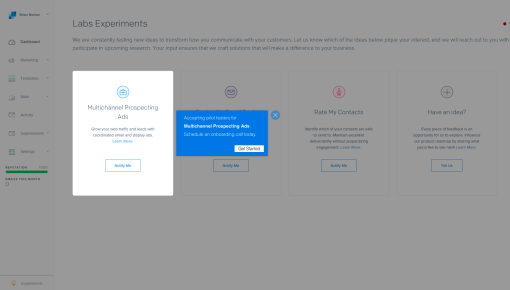
SendGrid Feature Upsell Tooltip
Frequently Asked Questions
-
Most Tooltips take under five minutes. Open the Builder, select your anchor element, write or generate copy with Copilot, set your trigger, and publish. From idea to live in a single session.
-
Chameleon's AI is deeply integrated, not bolted on. Our four agents help you find and fix product friction:
- Compass tracks user behavior and surfaces friction without instrumentation
- Copilot plans, builds, and reviews entire campaigns from a goal
- Prism personalizes content for each user, without you managing audiences or variants
- Ranger flags stale or broken experiences automatically
You'll also find AI copy enhancements, natural-language audience creation, A/B variant creation, Microsurvey summaries, Copilot diagnostics on every live experience, and more. -
Lots! Find all our integrations here.
Tools like HubSpot, Salesforce, Mixpanel, Heap, Amplitude, and Segment sync customer data and audiences into Chameleon, and push Chameleon engagement data back out (specifics vary by tool).
Tools like Figma, Calendly, Intercom, G2, and Typeform launch in-app, so users can book meetings, give feedback, or start a chat without leaving your product.
For anything else: Zapier, webhooks, a REST API, and an MCP server. -
Only once, to install the Chameleon code snippet, which can be done in minutes. After that, your Product or Growth team can own everything from creating Tooltips to targeting user segments, without writing a single line of code.
-
Chameleon uses flexible element targeting (ID, class, text, or data attributes), so you can anchor to whatever's most stable in your codebase. Ranger, our governance agent, monitors for detached or broken elements, and Copilot can diagnose why a Tooltip stopped working when something changes.
-
Most customers don't. Copilot accelerates rebuilds (paste your existing content, get a Chameleon-native version built immediately) and teams typically find rebuilding faster and better than porting one-to-one. But on our Growth and Enterprise plans, you can rebuild your favorites with support from your dedicated CSM.
-
Not at all. Chameleon offers a wide range of in-app guidance, including product tours, embedded cards, NPS + surveys, checklists + resource centers, interactive demos, and CMD+K search. They share targeting, governance, and analytics, so you can improve your product in one platform, not five tools. Find all Chameleon in-app patterns here.
Keep exploring
Template gallery
Get started now with Tooltip templates
Native integrations
Connect Tooltips to the rest of your stack
All patterns
See what else Chameleon can build for you